

 I implemented the VBA workaround for cheque remittances on a test system for another client site, to make sure they don’t see the undefined symbol error, the other day after I upgraded Microsoft Dynamics GP 10 to GP 2010 and tested the remittance to ensure it worked. amend VBA on Server 2008 R2 SP1
When the client came to test the remittance themselves on the test Citrix Server they got a type mismatch error;
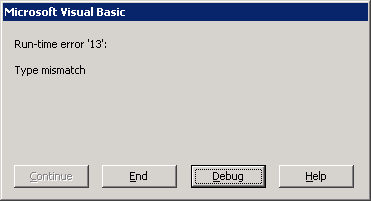
I dialled in and tried to produce the cheque remittances on the SQL server host again, which is where I worked on the VBA, before copying it to the test Citrix Server, and it ran without issue. I then connected to the Citrix Server and got the same error as the user.
The error was being produced from this line in the VBA;

I discussed the issue with a colleague, Andrew Cooper, and he reminded me of an issue we found a while ago with ADO where Microsoft had broken binary compatibility on Server 2008 R2 SP1, and the client version Windows 7 SP1, which meant a reference to Microsoft ActiveX Data Objects 2.7 Library created on Server 2008 R2 SP1 will not work on previous operating systems, such as Windows Server 2003 R2 SP1, which is what the Citrix Server was running.
The workaround to this is actually quite simple. In the Visual Basic Editor (Microsoft Dynamics GP menu » Tools » Customise » Visual Basic Editor) open the References (Tools » References) and uncheck Microsoft ActiveX Data Objects 2.7 Library;
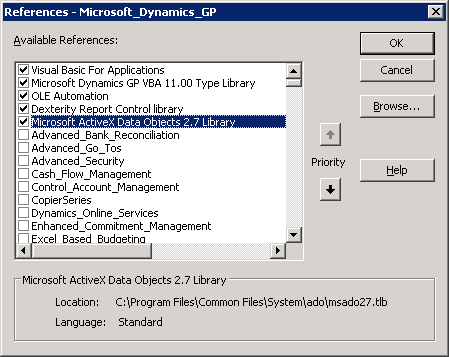
Click OK, the reload the References Window and reselect Microsoft ActiveX Data Objects 2.7 Library which will select the Server 2003 version and click OK again to commit the selection. Then compile the VBA (Tools » Compile Microsoft Dynamics GP).
Once done the cheque remittance on the Citrix Server worked correctly.
Andrew has emailed David Musgrave to see if we can get any additional information
What should we write about next?
If there is a topic which fits the typical ones of this site, which you would like to see me write about, please use the form, below, to submit your idea.
3 thoughts on “Check Remittance Run-time error ’13’ – Type Mismatch”