

 I have just returned from customer site where I did an upgrade of Microsoft Dynamics GP 10 to Microsoft Dynamics GP 2010 (I wish they’d called it GP 11 as the current nomenclature confuses customers) and got the error I often get when upgrading or installing GP on Windows 7 or Windows Server 2008 systems and have forgotten to do one of two very simple things. The explanation of the two things later, but first, the error message;
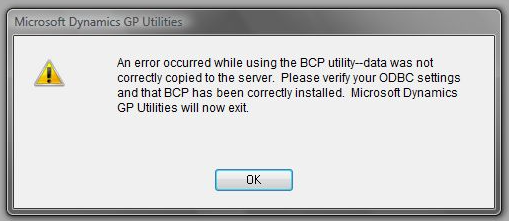
If you search online for this error you will find various advice such as;
1. Verify that your ODBC connection is using SQL server authentication. Only using Windows authentication will cause BCP to fail.
2. Check the TestBCP.bcp document found in the Great Plains directory to determine what is causing BCP to fail.
3. Add AllowBCPTest=FALSE to the Dex.ini file and launch Utilities.
4. On SQL Server, BCP will fail if the Servername is not the same as the Machine Name or if the Servername contains illegal characters. Determine the SQL Server Servername by executing the following statements against the MASTER database in Query Analyzer:
SELECT @@servername
SELECT * from master..sysservers
Tek Tips
None of the above, for me at least, is ever the problem.
The problem I have is much simple; I always forget to do this;

You could also right click on GP Utilities, select Properties, Compatibility tab and under Privilege Level check Run this program as administrator.
What should we write about next?
If there is a topic which fits the typical ones of this site, which you would like to see me write about, please use the form, below, to submit your idea.
Thanks, Man,