

 It seems it is a week for Integration Manager errors. Another client has logged an error when using Integration Manager. In this case, they were attempting to load a payroll journal using the GL Trx One Source File integration;
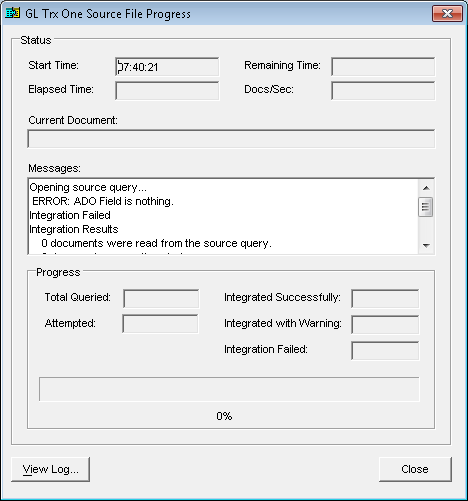
This isn’t a message I had seen before so I dialled in to investigate. Rerunning the integration produced the same error message the client had seen which is always a good first step in investigating a problem.
I then tried to preview the file to see if the problem was general or specific to attempts to integrate data and received the following error message;
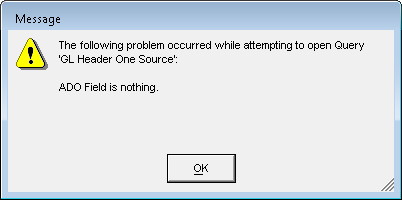
So definitely a general error.
I checked the file out to make sure there were no special characters and that the file was not open, and therefore locked, elsewhere. I’ve read online that this can sometimes be caused by differing service packs being installed in Microsoft Dynamics GP and Integration Manager but I did the upgrade for this client and know that all clients and software packages are at SP3.
After going in circles for a few minutes and getting nowhere I went for a cup of tea to give myself time to think. When I returned it was to the Properties of the GL Header One File window and the answer, or at least potential answer, was staring me in the face;
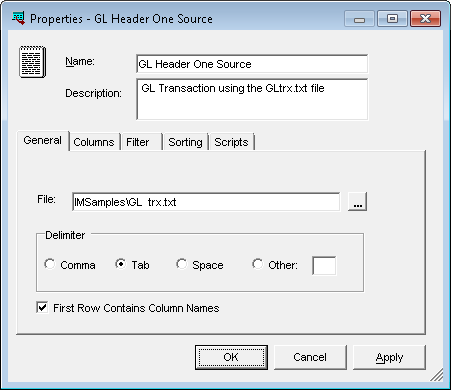
The filename contained a double space; I removed the double space and ran the integration again without problem.
I have tested this on a Microsoft Dynamics GP 2010 R2 client and with the double space in the filename the integration runs successfully; so this was fixed between GP 10 and 2010.
What should we write about next?
If there is a topic which fits the typical ones of this site, which you would like to see me write about, please use the form, below, to submit your idea.
5 thoughts on “Integration Manager Error: ADO Field Is Nothing”