

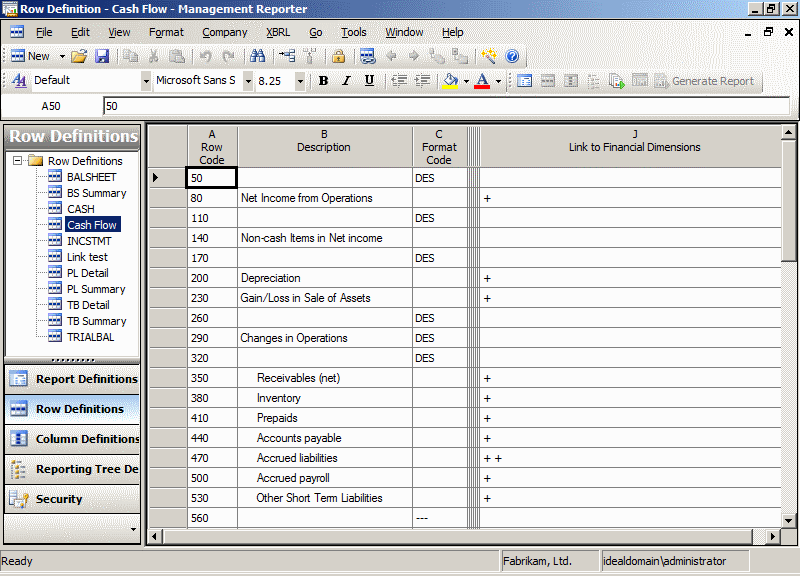
 I installed the sample reports into Management Reporter yesterday when writing the blog post but I didn’t actually take a proper look at them until this morning when I realised that there is a problem with them; there is a mismatch between the default settings of the sample reports and Microsoft Dynamics GP 2010 R2 whereby the Link to Financial Dimensions is broken;
The cause of the problem is that the segments in the Reports are defined as Segment1, Segment2 and Segment3 but in Microsoft Dynamics GP they are called Division, Account and Department;
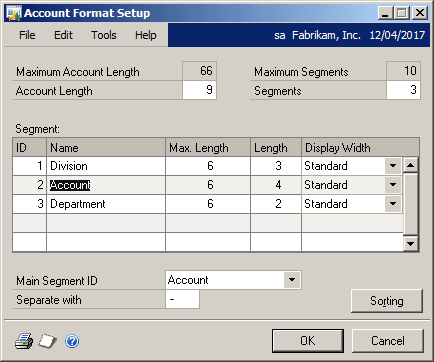
One solution would be to rename the segments in GP, but would then leave names in the demo company which are not descriptive.
The better solution, and one that is only possible with Management Reporter as it uses a SQL database) is to update the row definition directly on the database;
UPDATE

   ControlRowCriteria

SET

   DimensionCode = 'Account'

WHERE

   DimensionCode = 'Segment2'
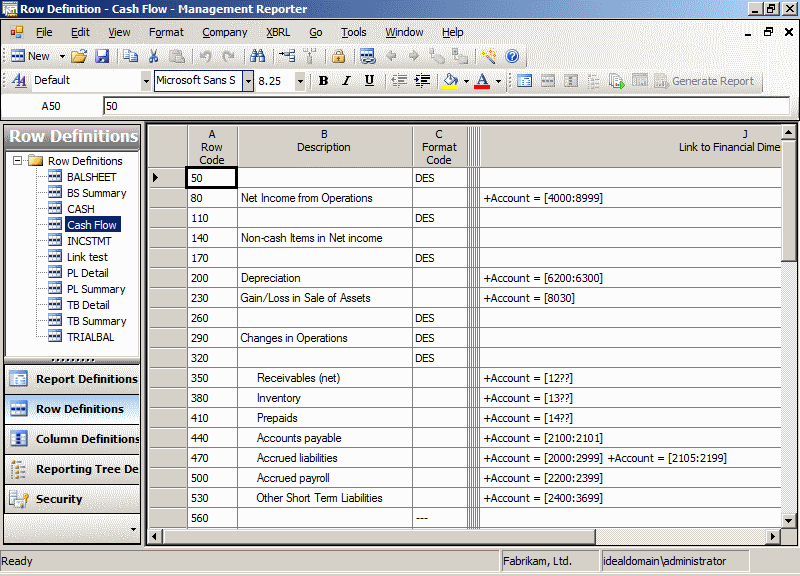
Once the above script has been run against the Management Reporter database, opening a Row Definition will show the Link to the Financial Dimensions correctly linking to the Account segment;
What should we write about next?
If there is a topic which fits the typical ones of this site, which you would like to see me write about, please use the form, below, to submit your idea.
Ian,
I cannot thank you enough for putting this out. I was able to resloved my issue. I ran the query and next thing, I was able to view the data on the sample reports. Great Work!
Thanks, Mansoor.
I’m pleased you found it useful.
Ian
Thanks, this helped me as well.
Thanks so much for this post! I had received the error previously and spent time to manually recreate all of the row formats – this post saved many hours of work for my next demo.
Hi Leanne,
Pleased you found this post useful.
Don’t miss the other post on fixing the Tree Definitions as well.
Wow 😀
Thanks a lot!!!!!
I have solved my problem after many hours of work!