

 Microsoft have started the Microsoft Dynamics GP 2013 Feature of the Day series on the Inside Microsoft Dynamics GP Blog.
The thirtieth feature they’ve announced is Mass Depreciation Reversal.
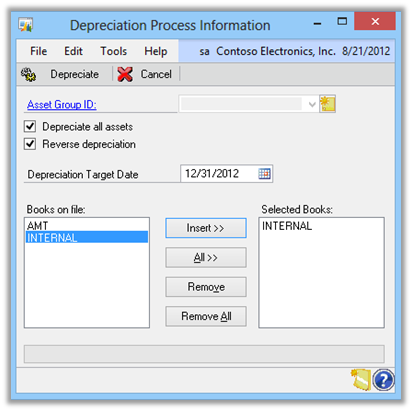
At present depreciation can only be reversed one asset at a time. This new Microsoft Dynamics GP 2013 feature provides users with the ability to back out depreciation for all, or a group, of assets which saves the time consuming process of doing it one asset at a time.
Check the Reverse Depreciated button in the Depreciation window and instead of doing a depreciation, it will instead reverse the depreciation previously generated;
This new feature is targeted at the following roles:
- CFO
- Accounting Manager
- Controller
- Accountant
- Bookkeeper
What should we write about next?
If there is a topic which fits the typical ones of this site, which you would like to see me write about, please use the form, below, to submit your idea.
1 thought on “MDGP 2013 Feature of the Day: Mass Depreciation Reversal”