

 Microsoft have started the Microsoft Dynamics GP 2013 Feature of the Day series on the Inside Microsoft Dynamics GP Blog.
The twelfth feature they’ve announced is Additional Word Templates.
Microsoft Dynamics GP 2010 introduced the Word Templates as alternatives to the standard Modified Reports but the selection available was limited. In Microsoft Dynamics GP 2013, users can now use Word Templates for all Sales Order Processing document types (such as Back Orders) as well as Packing Slips and Picking Tickets;
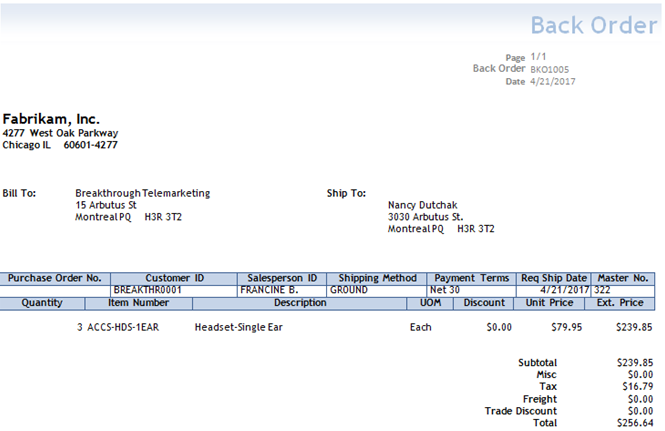
Also added, is the ability to email Back Orders and Packing Slips and all the templates are enabled by default so users can simply start using the functionality with nothing to configure.
Going are the days when Report Writer was needed to customise reports. Now Microsoft Office can be used with it’s familiar editing experience to provide personalised templates or reporting formats.
This new feature is targeted at the following roles:
- All Microsoft Dynamics GP users
What should we write about next?
If there is a topic which fits the typical ones of this site, which you would like to see me write about, please use the form, below, to submit your idea.
What about statements??
As far as I am aware the RM Statement Print is remaining outside of this functionality.
I did submit a suggestion on MS Connect to change the emailing of statements in November for people to vote for inclusion.