

 We received a call from a client yesterday about a problem with a sales invoice.
They’d tried to amend the value, had a problem and then tried to void the transaction (their settings prevented the registered invoice being deleted but something went wrong.
It was at this point that they called the helpdesk to report the following error message;
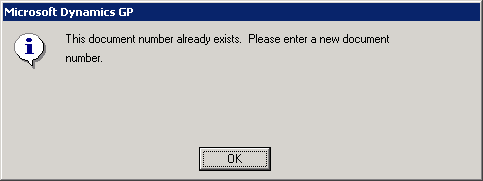
The error was produced when tried to select the transaction from the list of Sales Document Numbers in Sales Transaction Entry (Transactions » Sales » Sales Transaction Entry).
For this type of error, I’d usually look at running Check Links (Microsoft Dynamics GP menu » Maintenance » Check Links) but this customer is using the Nolan Business Solution’s Advanced Sales Order Processing with Recurring Invoices.
As Check Links was out of the question, as it deals only with the standard Microsoft Dynamics GP tables, I needed to use Management Studio and identify the problems manually.
As the client had been trying to void the transaction, I decided to go the route of removing the transaction rather than trying to repair it. The process for repair wouldn’t have been much different than it was for deleting which is to identify the tables which the transaction had entries in and the tables from which entries were missing.
The tables with data still in them were;
- SOP10100 - Sales Transaction Work
- NCR10001 - NC_SOP_HDR_EXTRA
- SOP50200 - Sales Document Header Temp
The tables from which the entries were missing (compared to another registered invoice were;
- SOP10102 - Sales Distribution Work and History
- SOP10105 - Sales Taxes Work and History
- NCAS0002 - NC_SOP_HDR_EXTRA
- NCAS0005 - NC_SOP_LINE_WORK_EXTRA
- SOP10200 - Sales Transaction Amounts Work
- SOP10202 - Sales Lines Comment Work and History
I removed the entries, from the first set of tables above, and edited SY00500 (Posting Definitions Master) to reduce the number of transaction in the batch and the value.
Once done I informed the client so they could enter the replacement invoice and generate this months recurring invoices.
What should we write about next?
If there is a topic which fits the typical ones of this site, which you would like to see me write about, please use the form, below, to submit your idea.
2 thoughts on “Fixing A Corrupt Sales Invoice”